Pick command
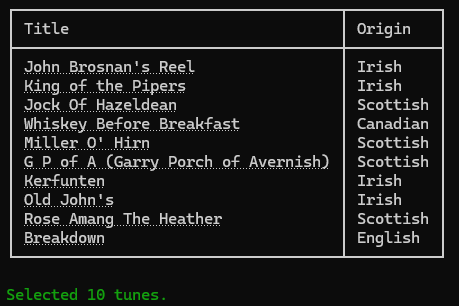
The pick command does not write back to your review database. It takes similar optional flags as are used in the review command and presents you with a table of tunes that match the filters.
But you are not asked to review them interactively, and results are not saved to the review database.
Quick start
As a minimum, navigate to the root directory of your vault and run the following command:
tune-review pick
Options
| Flag | Default | Description |
|---|---|---|
| -h, --help | Prints help information | |
--vault PATH | (Defaults to the current directory) | Path to the Obsidian vault root |
--store PATH | (Defaults to /.tune-review/ within the current directory) | Path to the review store JSON file |
| --dry-run | Do not save any changes | |
--count N | 10 | Number of tunes to select |
--origin TEXT | Filter by origin, e.g. --origin Scottish | |
| --include-session | Include tunes marked as session-maintained | |
| --include-excluded | Include tunes marked as excluded | |
--tune NAME_OR_ID | Review a specific tune by its title or ID, bypassing automated selection logic |